
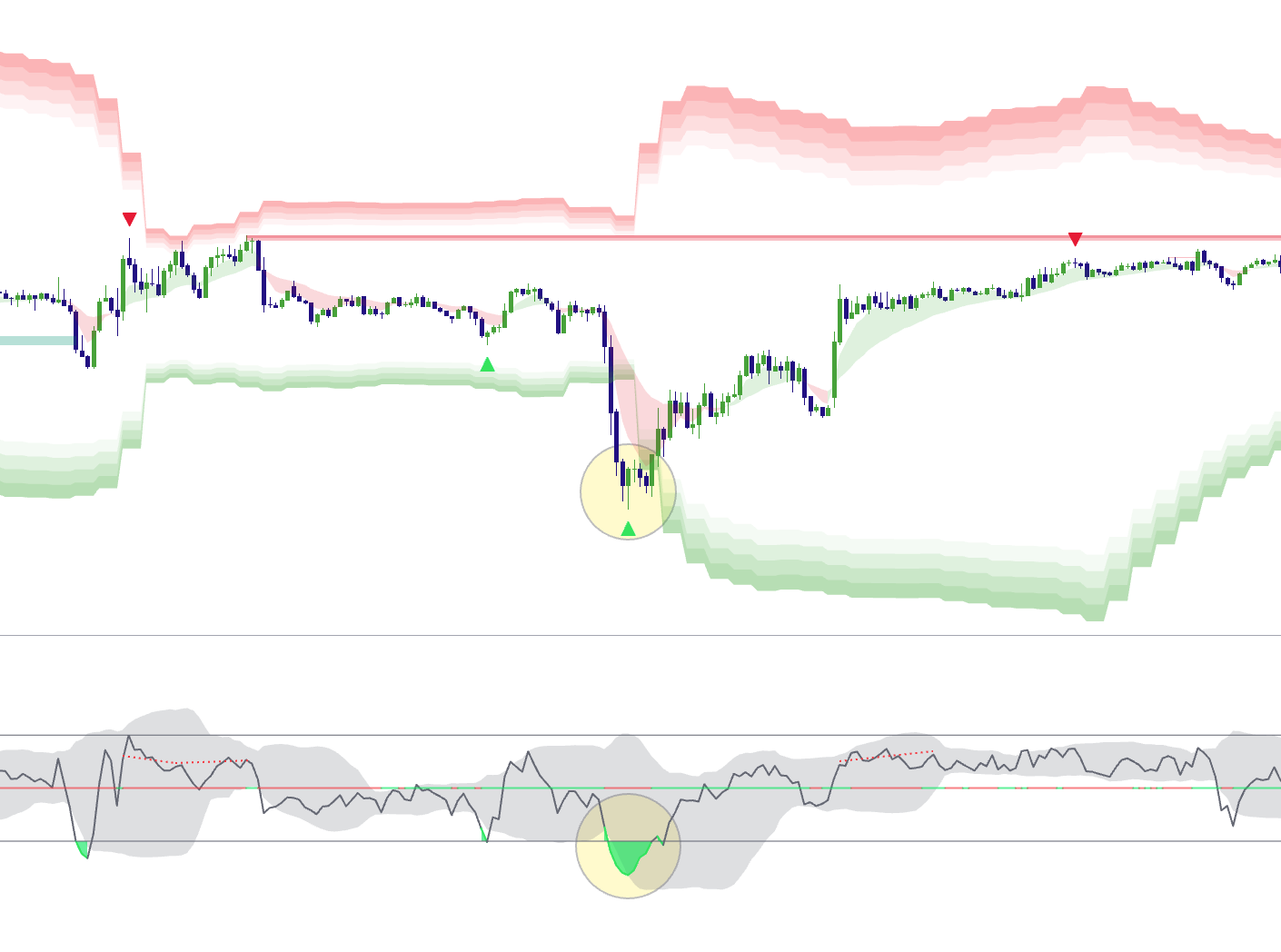
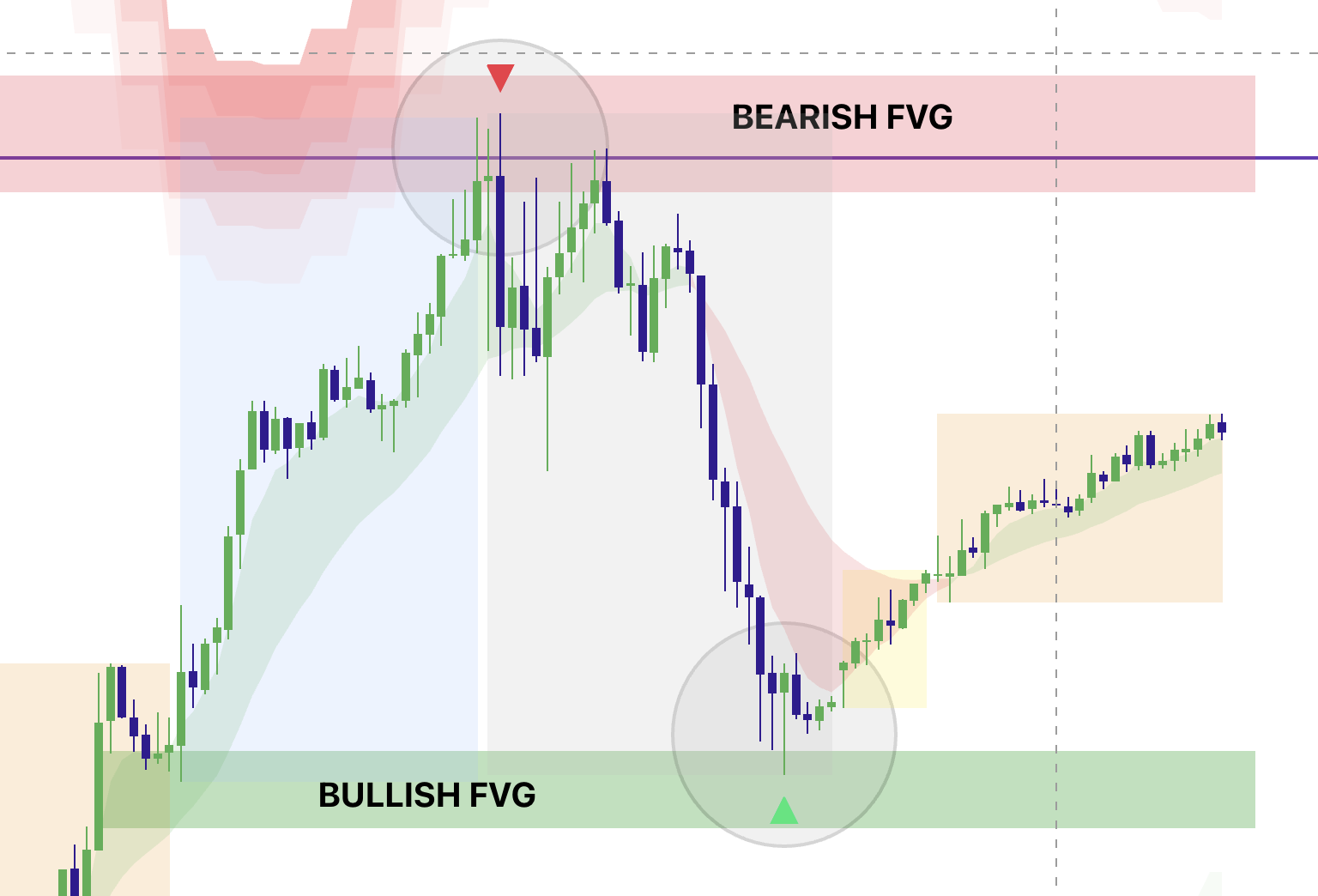
Automation Hub • Hands-Free Execution
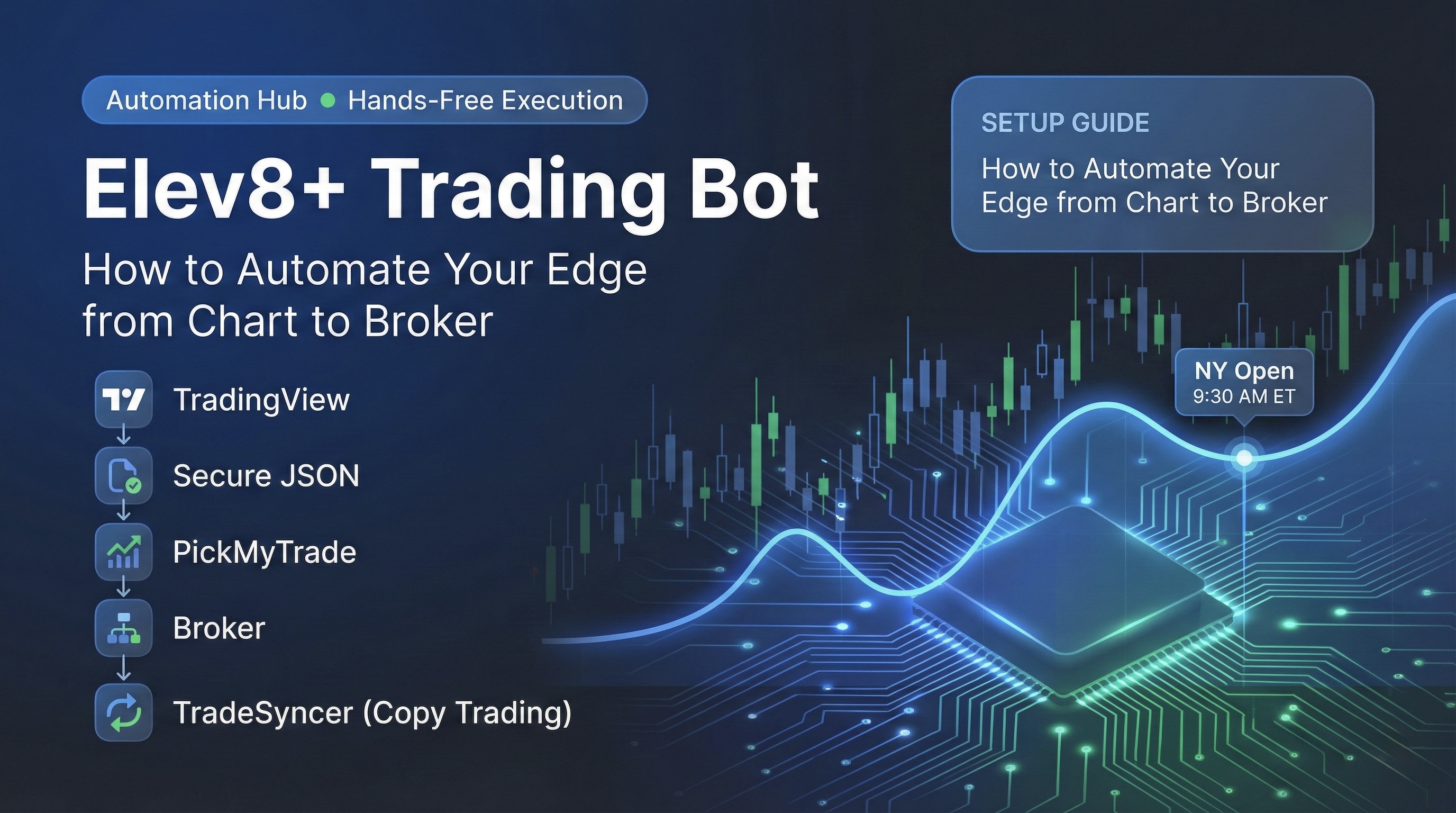
Elev8+ Trading Bot: How to Automate Your Edge from Chart to Broker
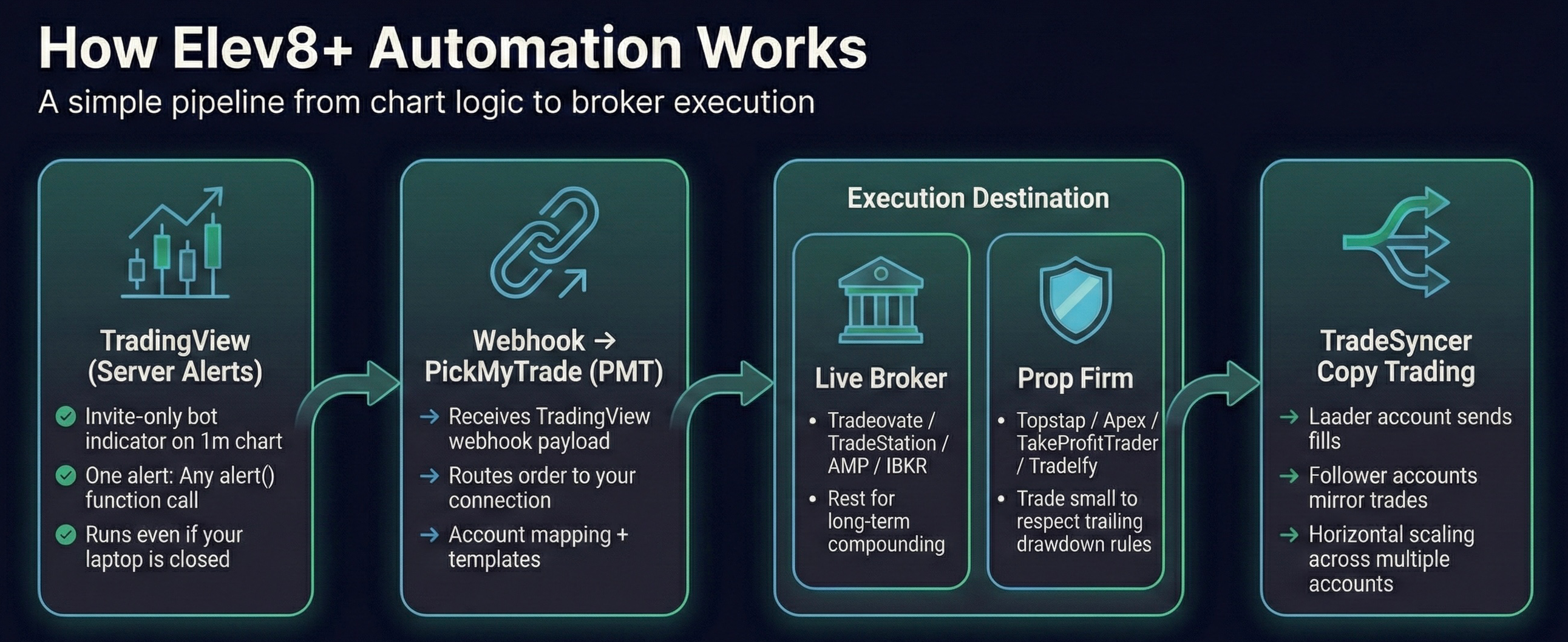
The Elev8+ Trading Bot is an end-to-end execution engine. It calculates a deterministic bias at the NY open, packages it into a secure JSON message, and routes it to your broker via PickMyTrade. This guide will show you how to link these systems together so you can scale your capital without increasing your screen time.
Educational content only. Futures trading involves high risk. Automated systems can fail due to technical issues. Never trade money you cannot afford to lose.
Important: Read Before You Start
Please read this entire guide to understand how to set up and use the Elev8+ Trading Bot correctly. If you want help or a 1-on-1 onboarding session to verify AutoTrader settings, and PMT routing contact us before going live.
Important: Third-Party Subscriptions
- PickMyTrade has its own subscription (routes webhook → broker). **Get 20% off with code "ELEV8"**
- TradeSyncer has its own subscription (optional - copies trades to additional accounts).
These services are external providers and are billed separately from Elev8+.
Supported Brokers
- Tradovate / NinjaTrader futures accounts
- Interactive Brokers futures accounts
- TradeStation futures accounts
- Rithmic futures accounts
- ProjectX / TopstepX futures accounts
Expectation Setting: Compounding & Withdrawals
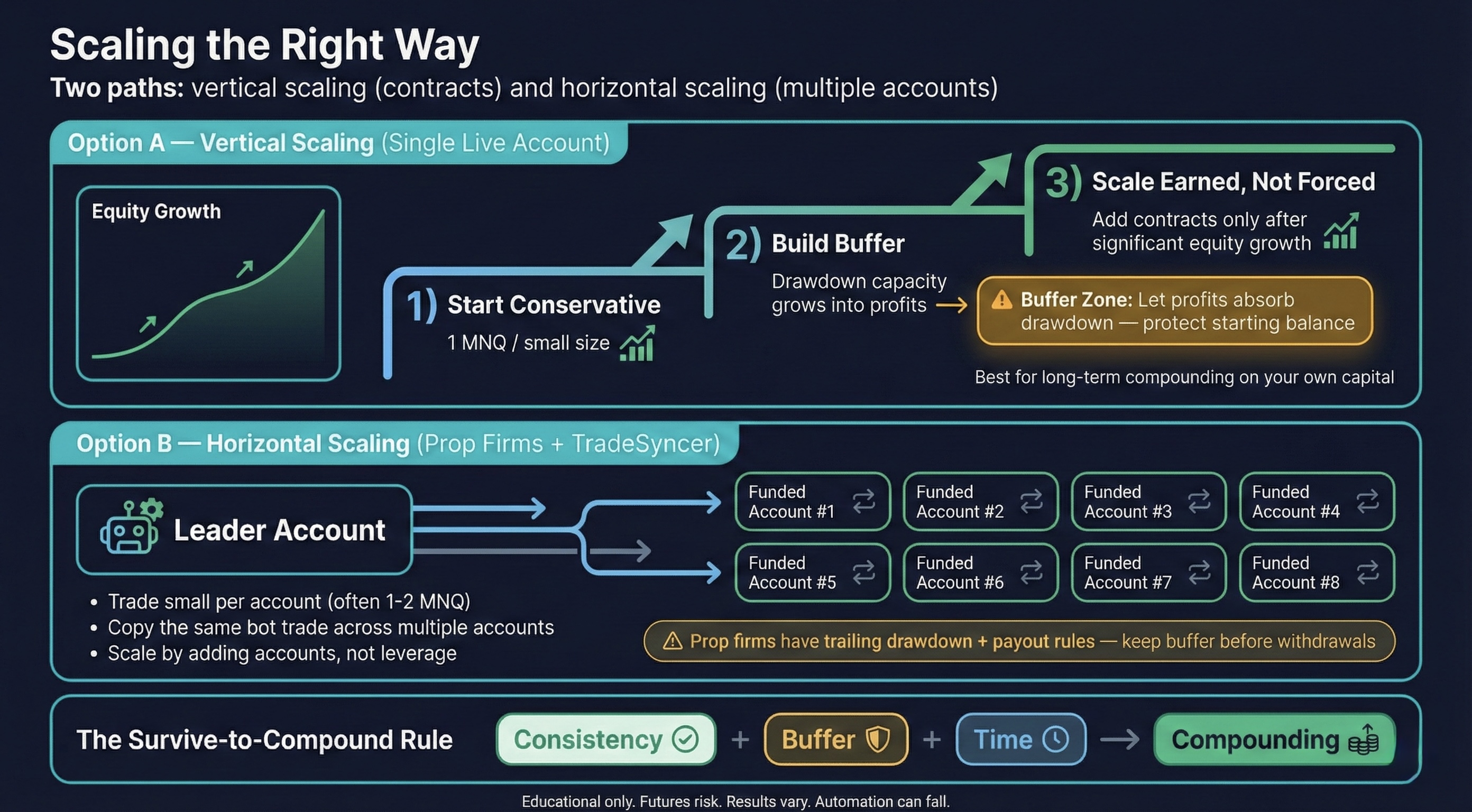
This is not a “get rich quick” trading bot. It is designed to execute a repeatable process and compound gains over time. The strongest way to use automation is to let the account balance grow and scale contract size gradually, while always leaving room for drawdown.
Avoid draining the account every day or every week. A more sustainable approach is to let the system run through normal equity swings and consider monthly, quarterly, or even yearly withdrawals—only after ensuring you still have adequate buffer for drawdown. The strategy is not guaranteed to produce positive P&L every week or every month, but it is built to benefit from consistency over long horizons.
Another compounding method is running the bot across multiple prop firm accounts. For example, even with 1 MNQ contract per account, you could withdraw modest amounts (e.g., $500/month when eligible) from each account while leaving buffer in each account to keep growing and withstand fluctuations. At scale (e.g., 10–20+ accounts), this can create more consistent income without over-leveraging a single account.
The Workflow
- AutoTrader detects the setup
- PickMyTrade routes the order (use code "ELEV8" for 20% off)
- TradeSyncer copies it to all your prop firm accounts
Risk First
- Automation requires drawdown capacity.
- Guideline: ~$2,000 drawdown capacity per 1 MNQ contract to survive natural equity swings.
The Edge
- Remove human emotion.
- Executes at 9:30 AM EST with server-side precision.
New to Automated Trading?
- Automated trading: A rules-based script enters/exits trades for you.
- Prop firms: Companies that provide you capital once you pass an evaluation.
- Copy trading: A “Leader” trade is replicated to “Follower” accounts automatically.
Before You Start (Fast Requirements Checklist)
You will need:
- Broker or Prop Firm account
- PickMyTrade account (routes webhook → broker)
- Optional: TradeSyncer account (copies trades to additional accounts)
- If you are only trading a single live account through PMT, TradeSyncer is not needed.
Step 0: Open a Broker Account or Prop Firm Account (Execution Destination)
The bot can only execute trades if you have an account to send orders to.
Choosing a Long-Term Path: Personal Brokerage vs Prop Firm
If your goal is long-term investing and compounding, it is often best to open and grow your own brokerage account. Your account size determines how many contracts you can safely trade and whether you should trade Micros or Standards.
As a baseline guideline, to trade 1 MNQ you should generally have at least $2,000–$3,000 in starting balance. To trade 1 NQ, you should generally have at least $20,000–$30,000 in starting balance. The goal is to let the bot run over time to compound growth and scale up responsibly.
A simple compounding framework is: when your account balance roughly doubles, you can consider doubling contracts. For example, if an account grows from $25,000 to $50,000, you could consider trading 2 NQ instead of 1—always leaving room for drawdown.
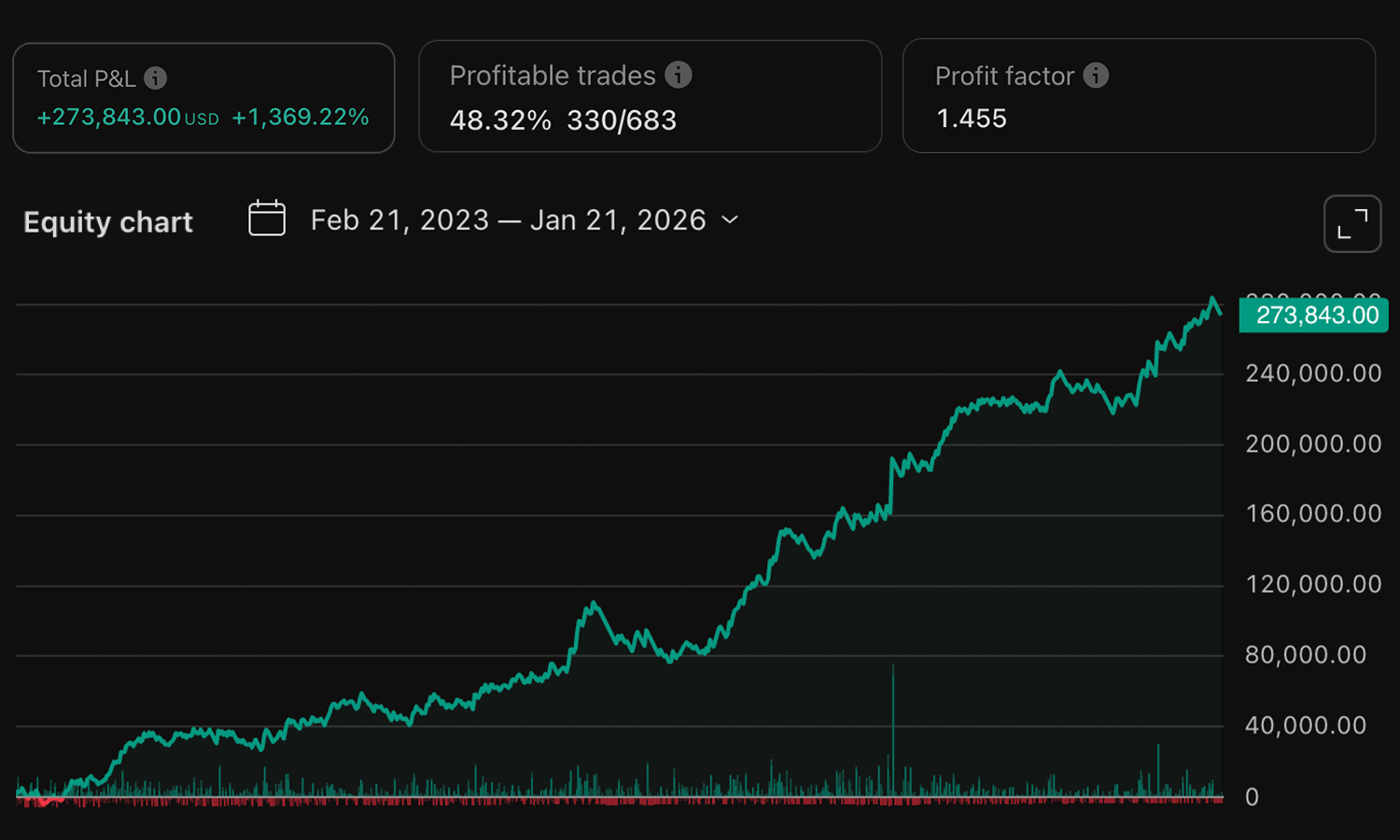
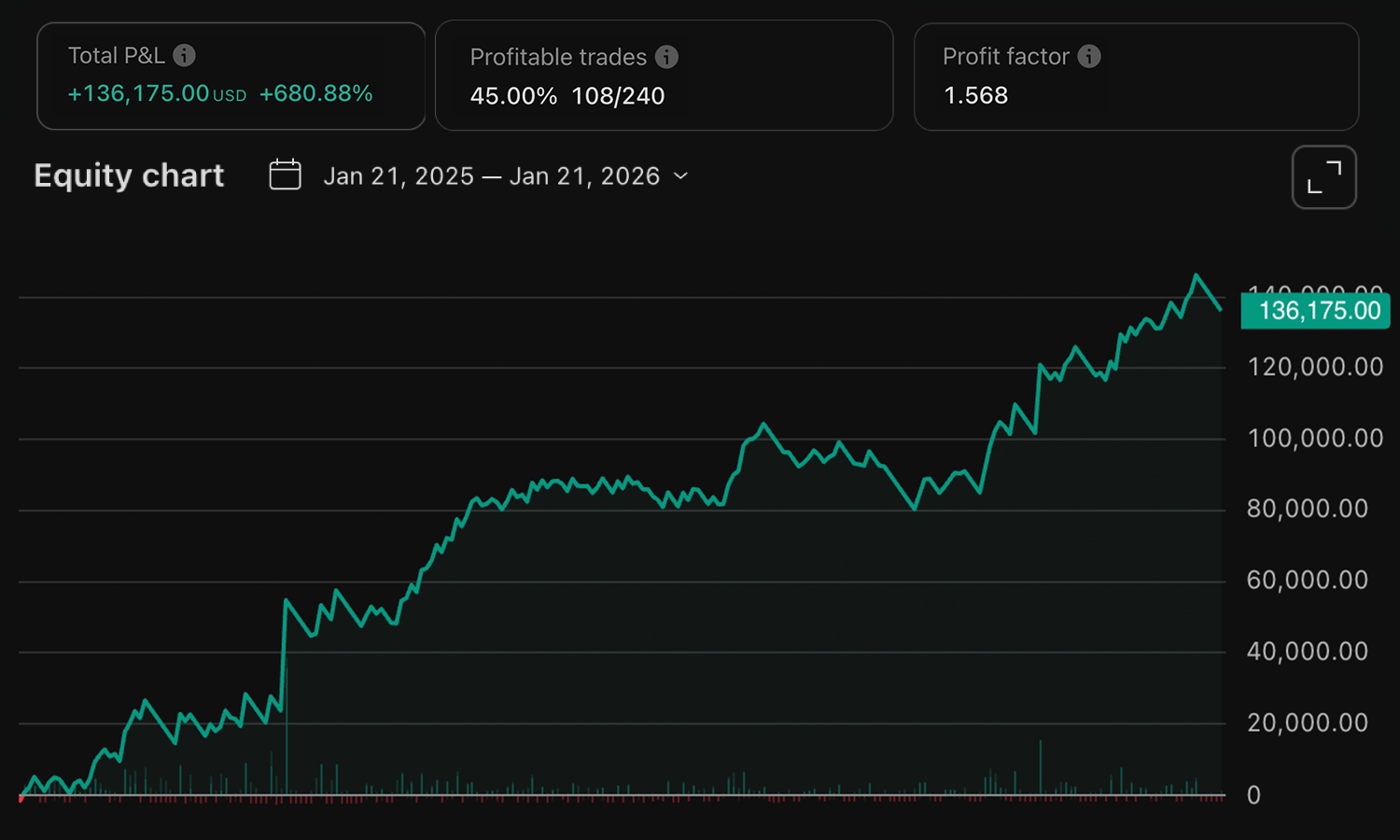
Over the last 3 years, the bot has produced approximately 1,300% gains without scaling. Scaling contracts as balance increases can significantly increase growth potential, but it must be done with discipline and adequate buffer.
This is a long-term growth framework—not a system designed to supplement weekly income. Think of it like a self-directed automated execution, but with the potential for higher returns than typical passive investments that target only 5–15% annual gains.
Option A: Live Broker (Recommended: NinjaTrader / Tradovate)
Top Pick for Ease of Use
- Create your NinjaTrader or Tradovate account and complete approvals.
- Fund the account (or enable SIM/paper trading for testing).
- Locate and copy your Account ID exactly.
Other Live Options: TradeStation, AMP Futures (Rithmic), Interactive Brokers.
Live Broker Strategy (Recommended Approach)
- Be patient and let your capital grow. The objective is long-term compounding, not weekly income.
- Start with a conservative contract size. Once your balance has grown enough to justify more exposure, increase contracts inside the bot settings.
- Example: if you start with $25,000 and trade 1 NQ, when the account reaches $100,000 you could be trading 3–4 NQ. Over time, the account can compound and scale massively if you are patient and scale safely.
Option B: Prop Firms (Suggested)
- Suggested firms: Topstep, Apex, TakeProfitTrader, Tradeify
- Pass the evaluation (be mindful of trailing drawdown and daily loss limits).
- After activation, copy the exact funded Account ID/name.
Prop Firm Strategy (Recommended Approach)
- It is usually best to pass the evaluation manually first to avoid paying monthly fees while your automation is still building the balance.
- Once funded, set the bot to trade small (typically 1–2 MNQ) to reduce the risk of breaking trailing drawdown rules.
- Even though Micro profits are smaller, you can scale by copying across multiple funded accounts using TradeSyncer, then only taking payouts once you have room above your buffer zone.
- Always leave enough money in each account so the bot can keep running and withstand drawdown.
Step 1: Enable AutoTrader
The Elev8+ Trading Bot is managed from your personal Elev8+ AutoTrader dashboard. Once your membership is active, AutoTrader will be available in your user dashboard once you login.
Quick Steps
- Open a AutoTrader Settings and enter your details from the next step.
- Click Contracts → to manage your risk.
- Click Additional Accounts to send trades to multiple accounts under the same PMT Connection.
Step 2: Identifying Your PMT Details & Webhook URL
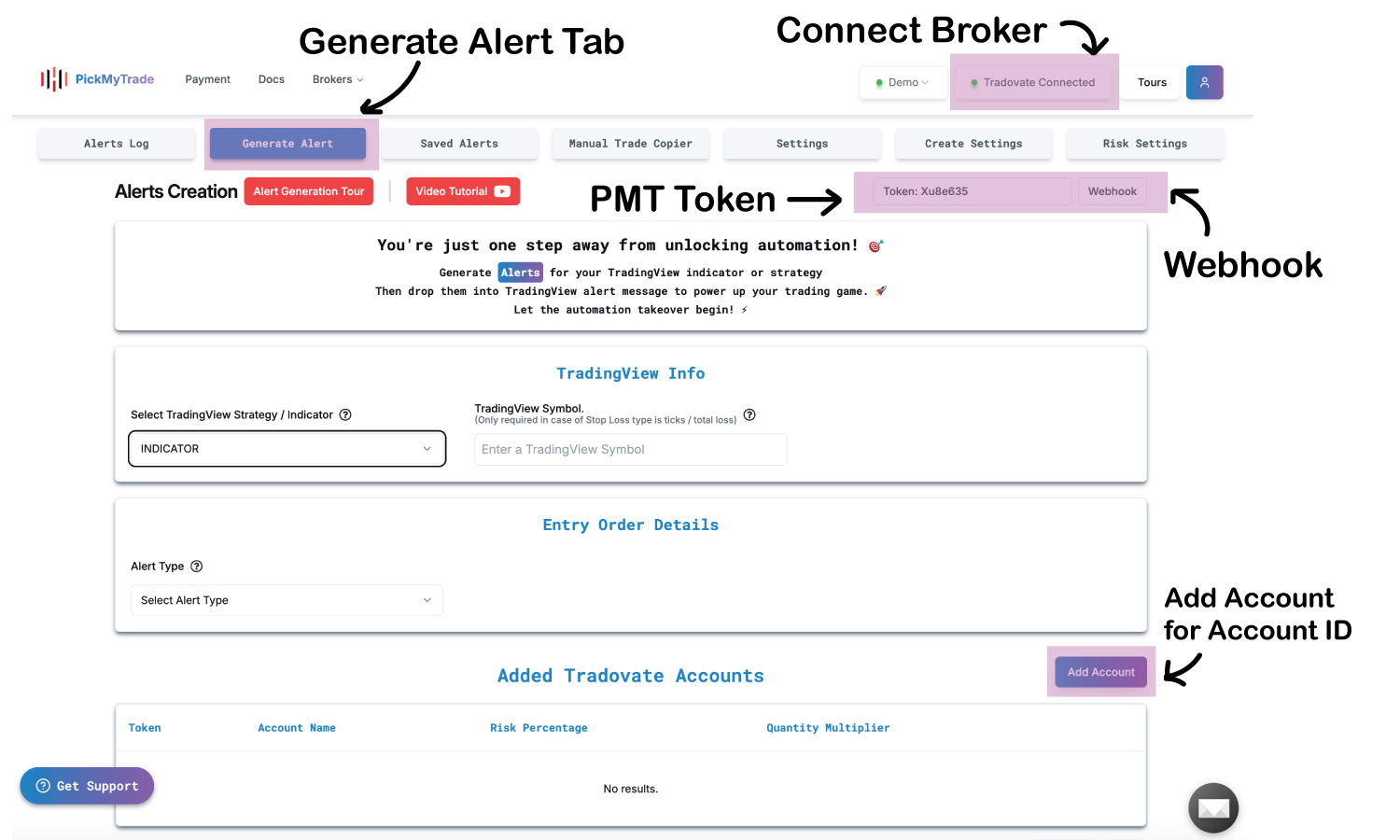
PickMyTrade (PMT) acts as a passive bridge. You do not need to manually create alerts inside PMT. It simply waits for instructions from the AutoTrader bot. To set this up, you need three pieces of information from your PMT Dashboard:
What to Copy from PMT
-
1) PMT TokenFound at the top of the “Generate Alert” page. This is your password—copy it exactly and never share it.
-
2) Webhook URLClick the Webhook button on the “Generate Alert” page to copy your unique URL.
-
3) Account IDThe unique identifier for your connected broker account (found in the "Accounts" tab).
Image 2: Locating Token and Webhook URL
Common Account ID Formats by Platform
- TradovateUsually a string starting with letters (e.g.,
TDFYA150345...). Find this in Account Reports. - Prop Firms via Rithmic (Apex/MFF, etc.)Your Rithmic User ID followed by a suffix (e.g.,
LL001702-003orAPEX-1234-01). - TradeStationYour registered account number (e.g.,
TS001928). - TopStepX / Project XThe exact account name shown in your trading terminal (e.g.,
S1JUN11156...).
Step 3: Configuring the Bot Settings
Open the AutoTrader settings in your user dashboard. Paste your details into the PickMyTrade Automation Settings section.
Bot Settings Checklist
- PMT Token: Paste your API Token.
- Account ID: Paste the ID of your Leader Account.
- Order Quantity: Contract size (start with 1).
- Contract: Select the Micro or Standard version.
Step 4: Horizontal Scaling with TradeSyncer
The most powerful way to grow your capital is horizontal scaling. Instead of trying to "hit home runs" with large contract sizes on one account, you replicate small, consistent wins across many accounts.
Why Scale Across Multiple Accounts?
- Reduced Drawdown RiskProp firms often enforce trailing drawdown. Trading 1 contract across 10 accounts gives each account $2,000+ of individual breathing room, reducing blow-up risk.
- Multiplied ProfitsSmaller profits from Micro contracts (MNQ) become substantial when multiplied across 5, 10, or 20 accounts.
- Institutional DiversificationYou can scale across different prop firms simultaneously—diversifying your platform risk.
How TradeSyncer Works
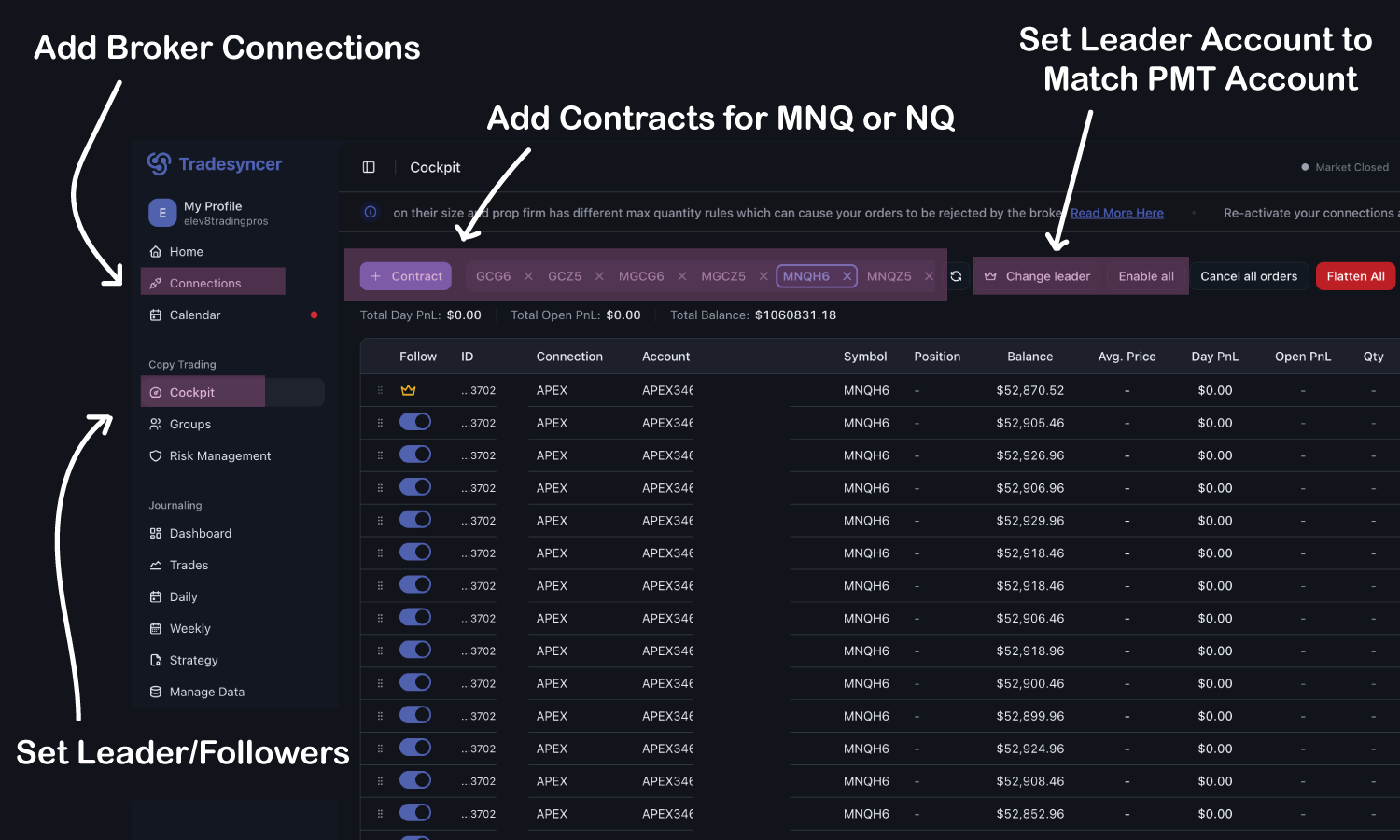
- Leader Account: Connect your primary account to PMT and use its ID in Step 3.
- Follower Accounts: Connect your other accounts to TradeSyncer.
- The Result: The bot fills on the Leader, and TradeSyncer mirrors the trade across Followers instantly.
- Note: If copy trading only to accounts under the same login then Tradesyncer is not needed and can be done directly in AutoTrader settings.
Critical TradeSyncer Setup Note (Contracts)
- In TradeSyncer Cockpit, import the correct contracts for both Leader and Followers.
- Incorrect mapping (e.g., MNQ vs NQ) can prevent copying or copy the wrong product.
Also note: TradeSyncer can occasionally disconnect accounts after exchange maintenance or weekends. They will typically send an email, but reconnecting is a manual step—you must log in and verify all Leader/Follower connections are active before relying on copy trading.
If you are only using your own Live account or multiple accounts under the same login in PickMyTrade, TradeSyncer is not needed and totally optional.
Mastering Risk Management
Automation handles the discipline; you handle the math. Follow the $2,000 Rule:
Drawdown Capacity Guidelines
- 1 Micro (MNQ): ~$2,000 drawdown capacity
- 2 Micros: ~$4,000 drawdown capacity
- 1 Standard (NQ): ~$20,000 drawdown capacity
Frequently Asked Questions
Will prop firms like Apex ban me for using a bot?
No. Most prop firms, including Apex, allow automated trading. They specifically prohibit "HFT" (High Frequency Trading) that spams orders. Because this bot takes only one trade per day, it is perfectly within their guidelines.
Do I need to keep my laptop open for the bot to trade?
No. AutoTrader alerts are server-side. Once the alert is created, it lives in the cloud. You can turn off your computer and the bot will still execute.
What is the "Consistency Rule"?
Prop firms often look for traders who follow a strategy rather than "gambling." Because the Elev8+ bot uses a fixed logic (Bias Scoring) and trades at the same time daily, it provides exactly the kind of consistent behavior firms look for during payout reviews.
Why did my bot miss a trade?
The most common reasons are: 1) AutoTrader not enabled in your dashboard. 2) Missing correct PickMyTrade ID, or webhook. 3) PMT Account disconnected (check for green "Active" light). 4) Bias score did not reach the minimum threshold to enter a trade for that day.
Get the Elev8+ Trading Bot
Ready to automate? Activate your membership to unlock the AutoTrader bot, connect PickMyTrade routing, and run hands-free at the NY open.